Coding agents
Connect a coding agent
Give Claude Code, Cursor or Claude a read-only key to your brand's numbers, then ask questions in plain English.
Your console's sidebar has a Connect a coding agent button. It creates a key for your brand and shows the exact setup for the agent you pick.
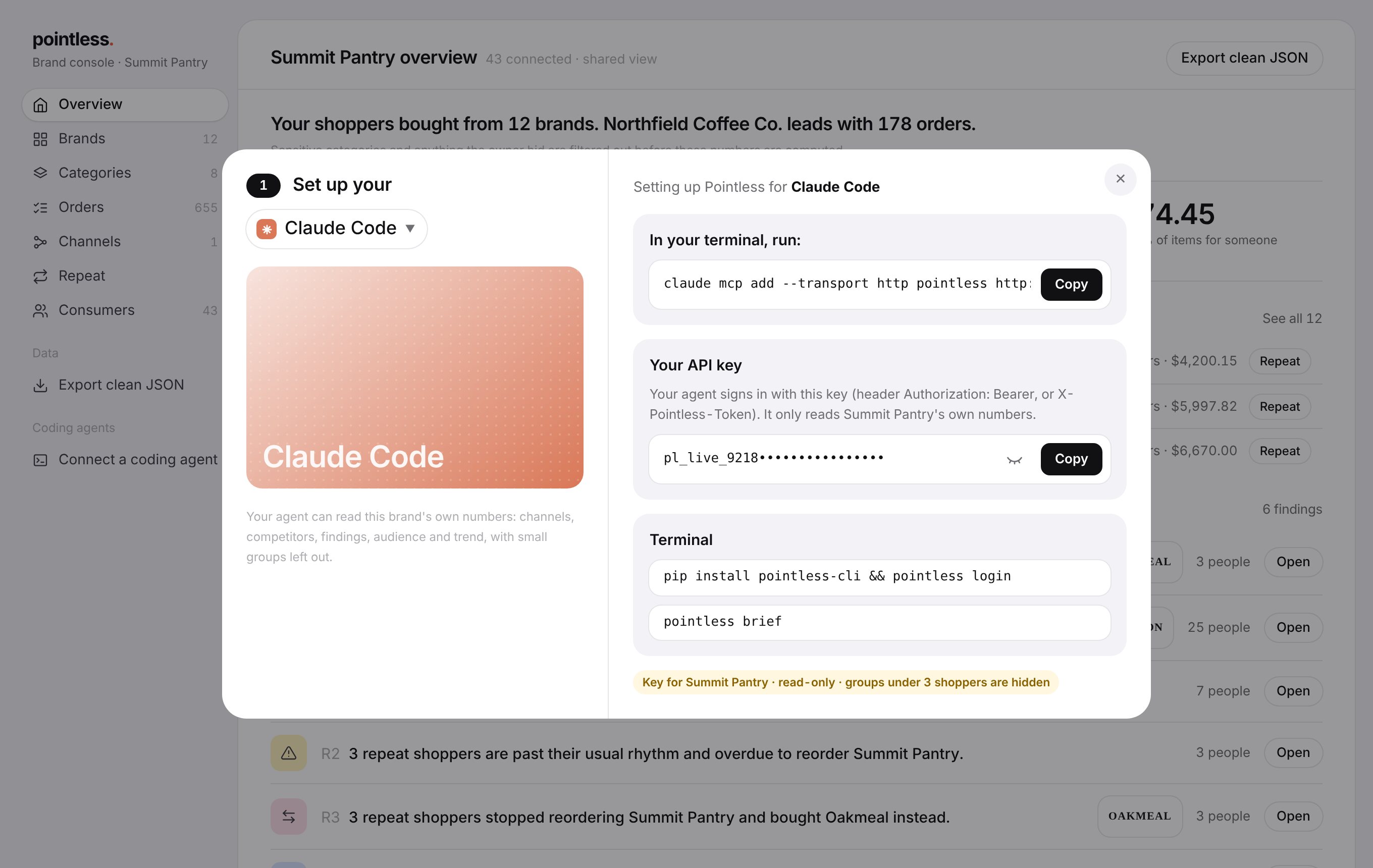
Open the setup window
In the brand console sidebar, under Coding agents, choose Connect a coding agent.
Pick your agent
Claude Code, Cursor, or Claude as a custom connector. The window shows the command or config for that agent.
Copy the setup and your key
Your key starts with pl_live_. Your agent sends it with every request.
Ask
Ask your agent things like "Where do my shoppers buy me?" or "Who am I losing repeat shoppers to?"
Claude Code
claude mcp add --transport http pointless https://<your-pointless-host>/mcp \
--header "Authorization: Bearer pl_live_..."Cursor
Add this to ~/.cursor/mcp.json:
{
  "mcpServers": {
    "pointless": {
      "url": "https://<your-pointless-host>/mcp",
      "headers": { "Authorization": "Bearer pl_live_..." }
    }
  }
}What your agent can call
| Tool | What it returns |
|---|---|
whoami | Which brand the key belongs to, panel size and the privacy floor. |
get_brand_overview | Shoppers, spend, repeat rate and the 12-month trend. |
get_channel_mix | Where your shoppers buy you, and where they found you first. |
get_competitors | Who else your shoppers buy, and who you lose them to. |
get_findings | The ranked findings, with evidence. |
get_audience | Who your products are for. |
Warning
A key only reads your own brand's numbers, and it can't change anything. Treat it like a password, and don't paste it into shared documents.