Connecting
Connect Amazon
From the link in your text to "You're connected" in a few taps.
Tap the link
Open the link you were sent. You'll see what's about to happen: a secure sign-in, a password we never store, and a one-time read of your last two years of orders. Tap Connect Amazon.
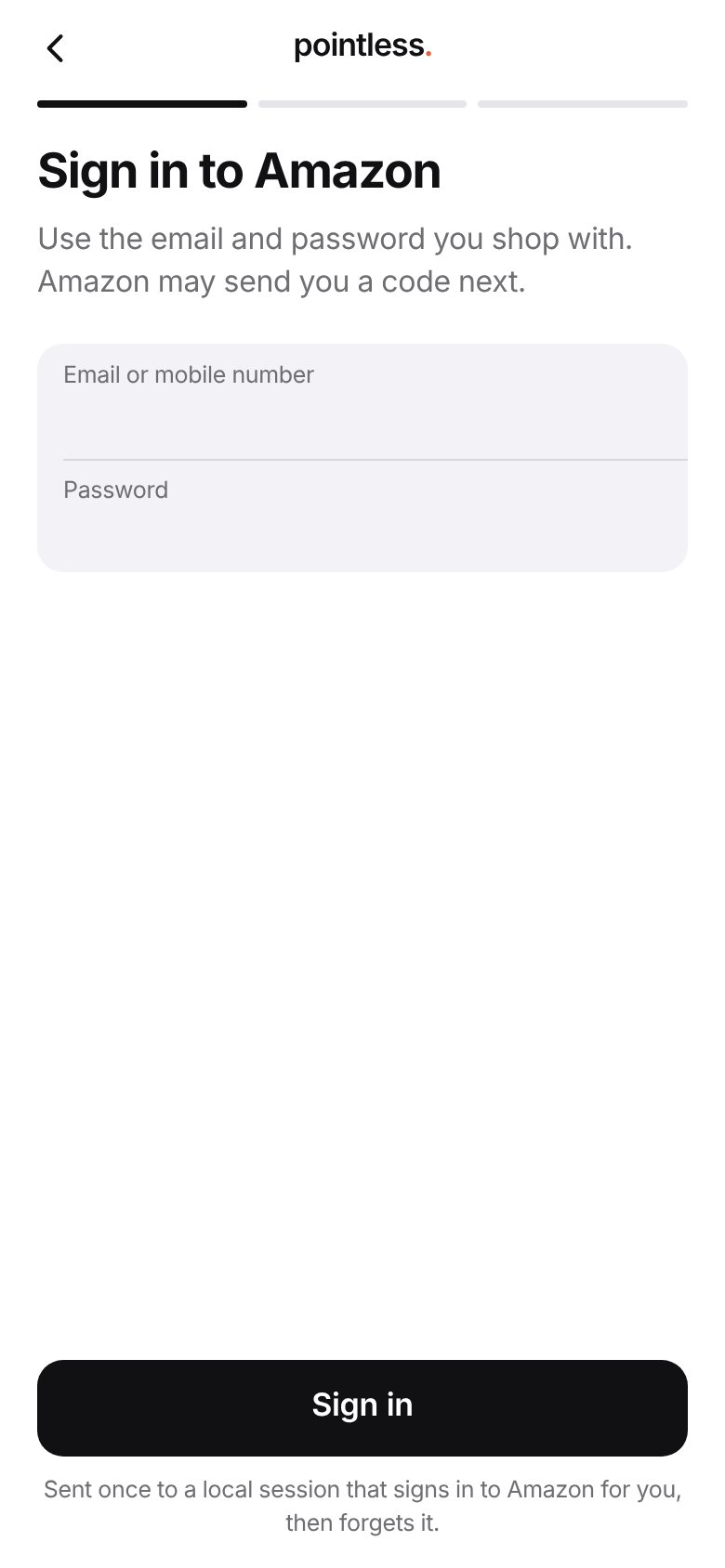
Sign in to Amazon
Use the email and password you shop with. They're sent once to a secure session that signs in to Amazon for you, then forgets them.
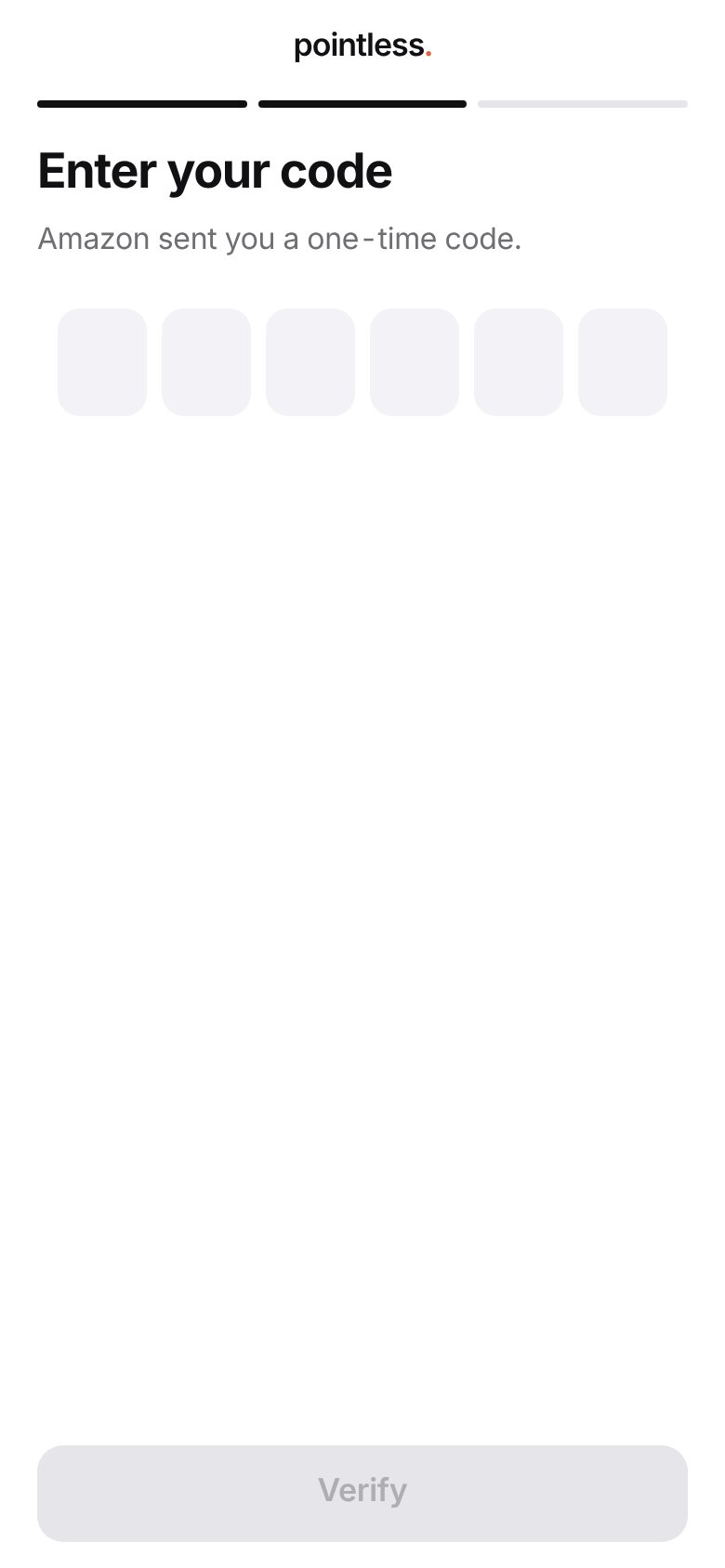
Enter your code
If Amazon sends you a one-time code, type it in. If Amazon asks you to approve the sign-in in its app instead, approve it there and this page carries on by itself.
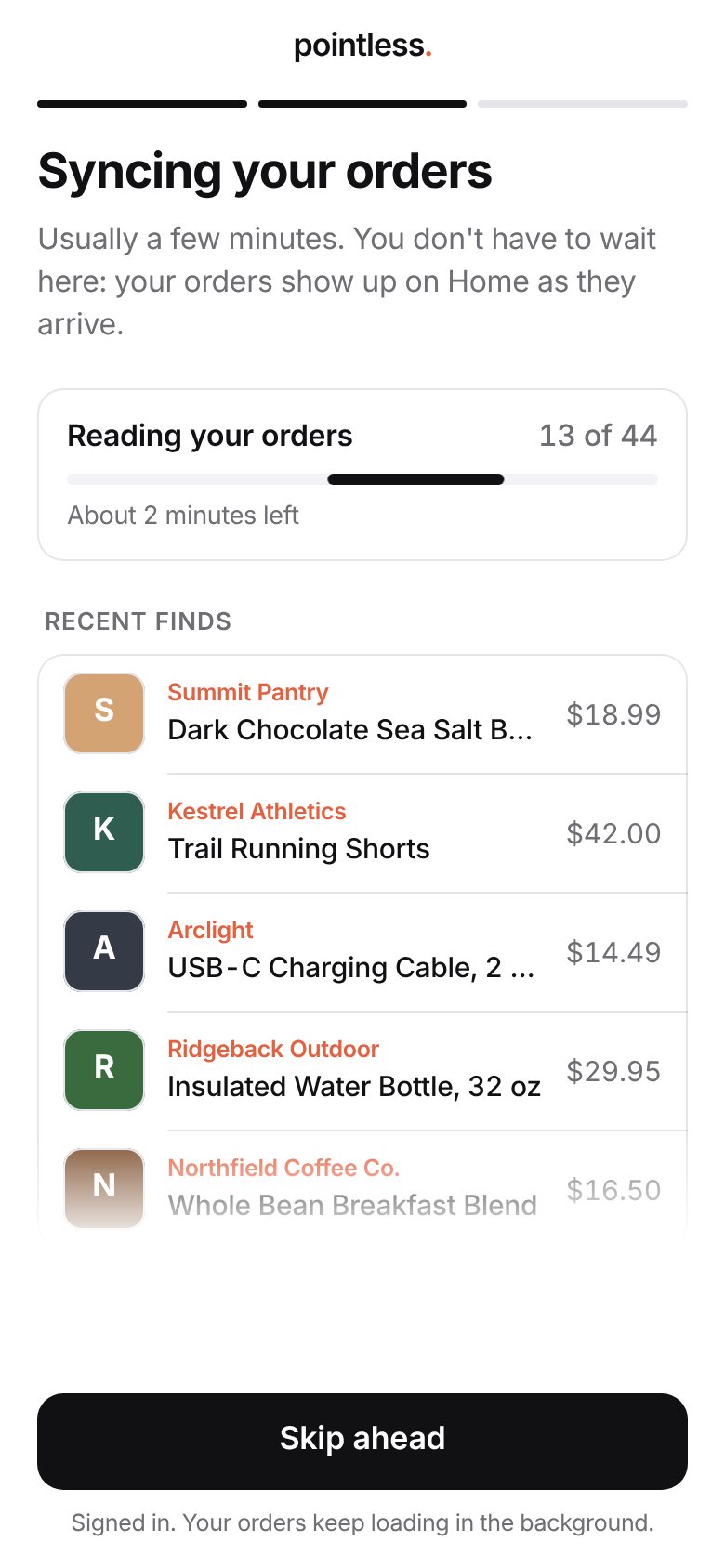
We read your orders
Your orders appear as they're read. It usually takes a few minutes. You don't have to wait: tap Skip ahead and your orders keep arriving on Home.
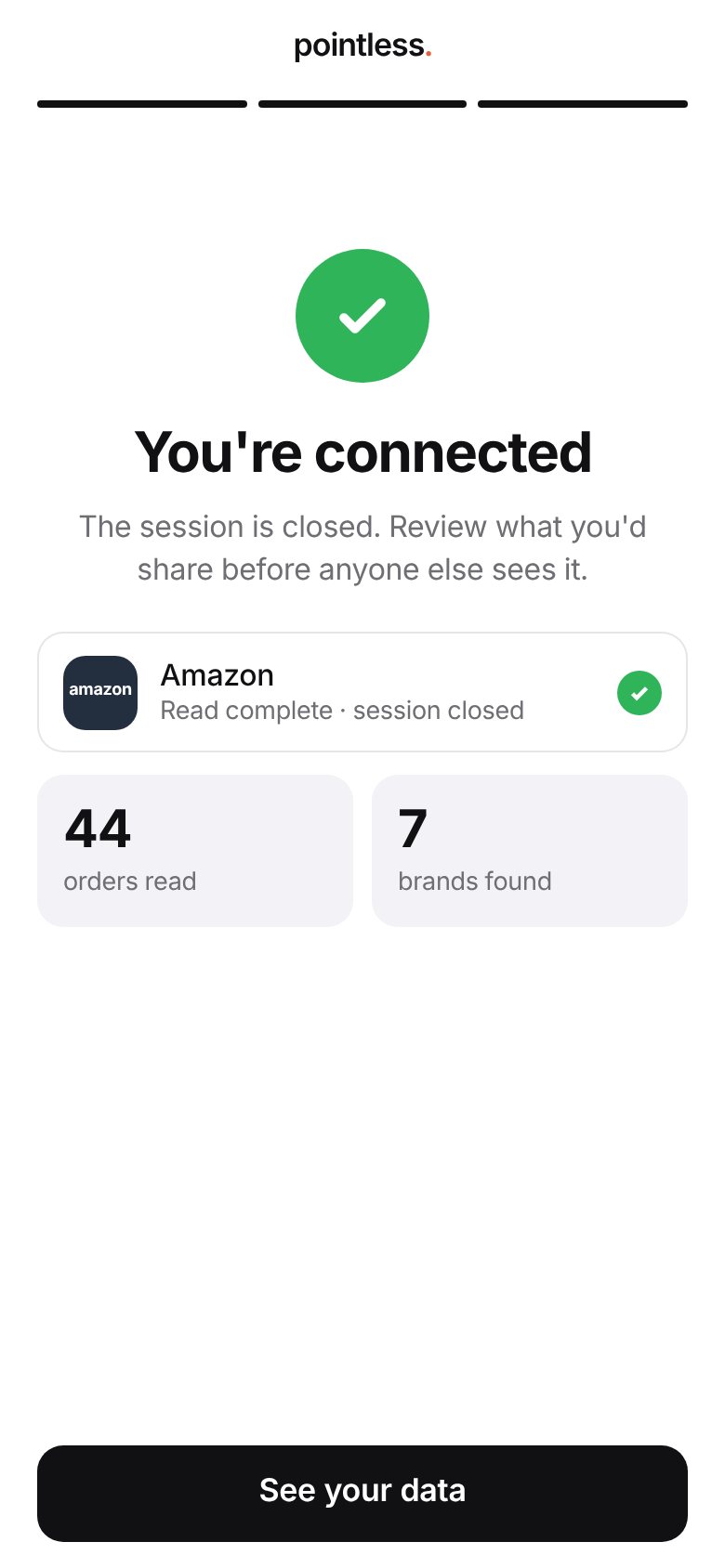
You're connected
The session closes when the read is done. Next, see what was found and choose what you'd share.
Tip
Use your Amazon password, not a passkey. If Amazon offers a passkey, choose the password option instead.